
How to setup Spotlight.ai authentication with PingOne
Adding an application
Add Spotlight.ai as an application to your environment so that PingOne can manage access to it.
Steps
- Login to PingOne as an administrator.
- Go to Applications > Applications.
- Click the + icon.
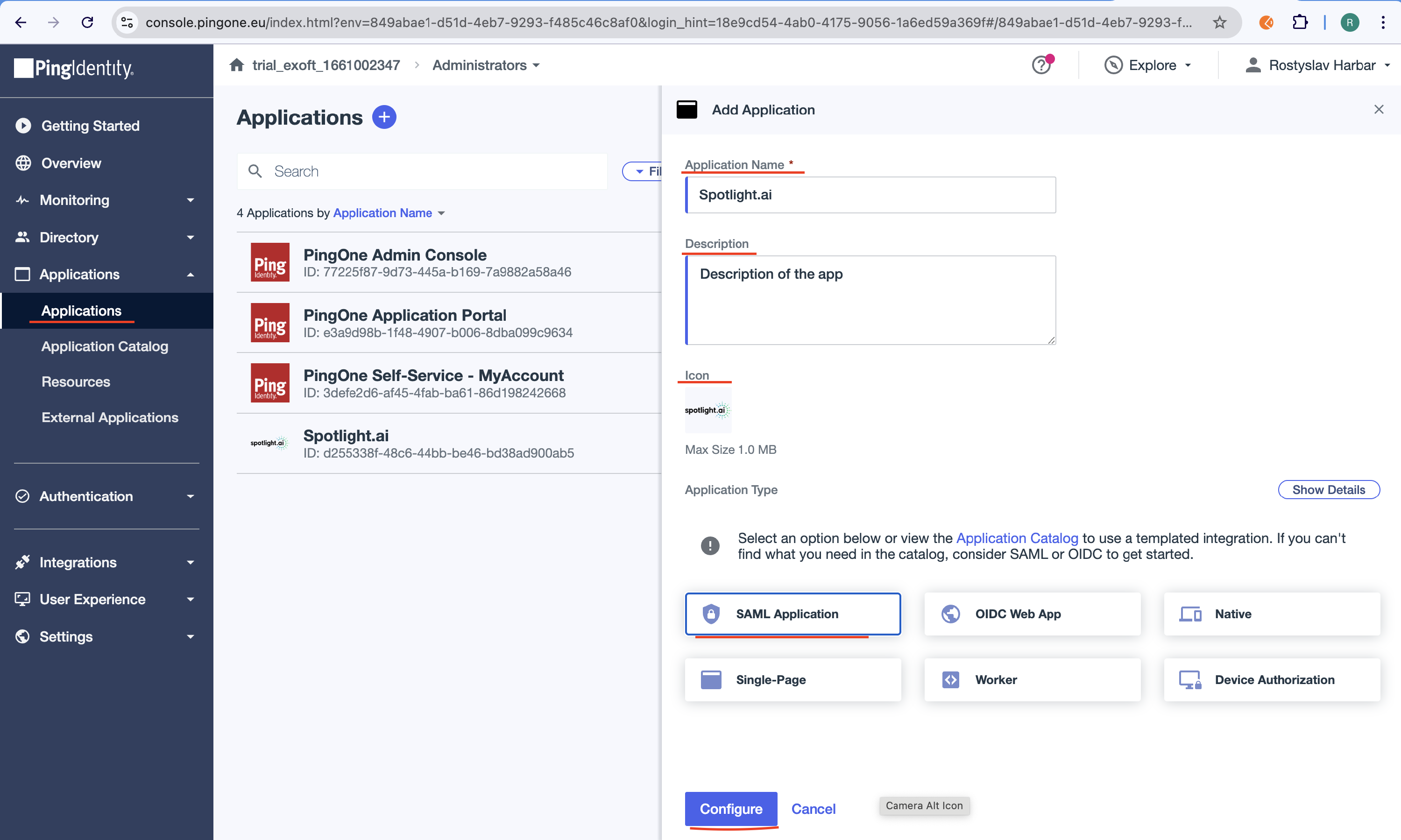
- Create the application profile by entering the following:
- Application name: Spotlight.ai
- Description: Sales acceleration platform
- Icon: Download this icon and upload it to PingOne
- Application Type: SAML Application
- Click Configure

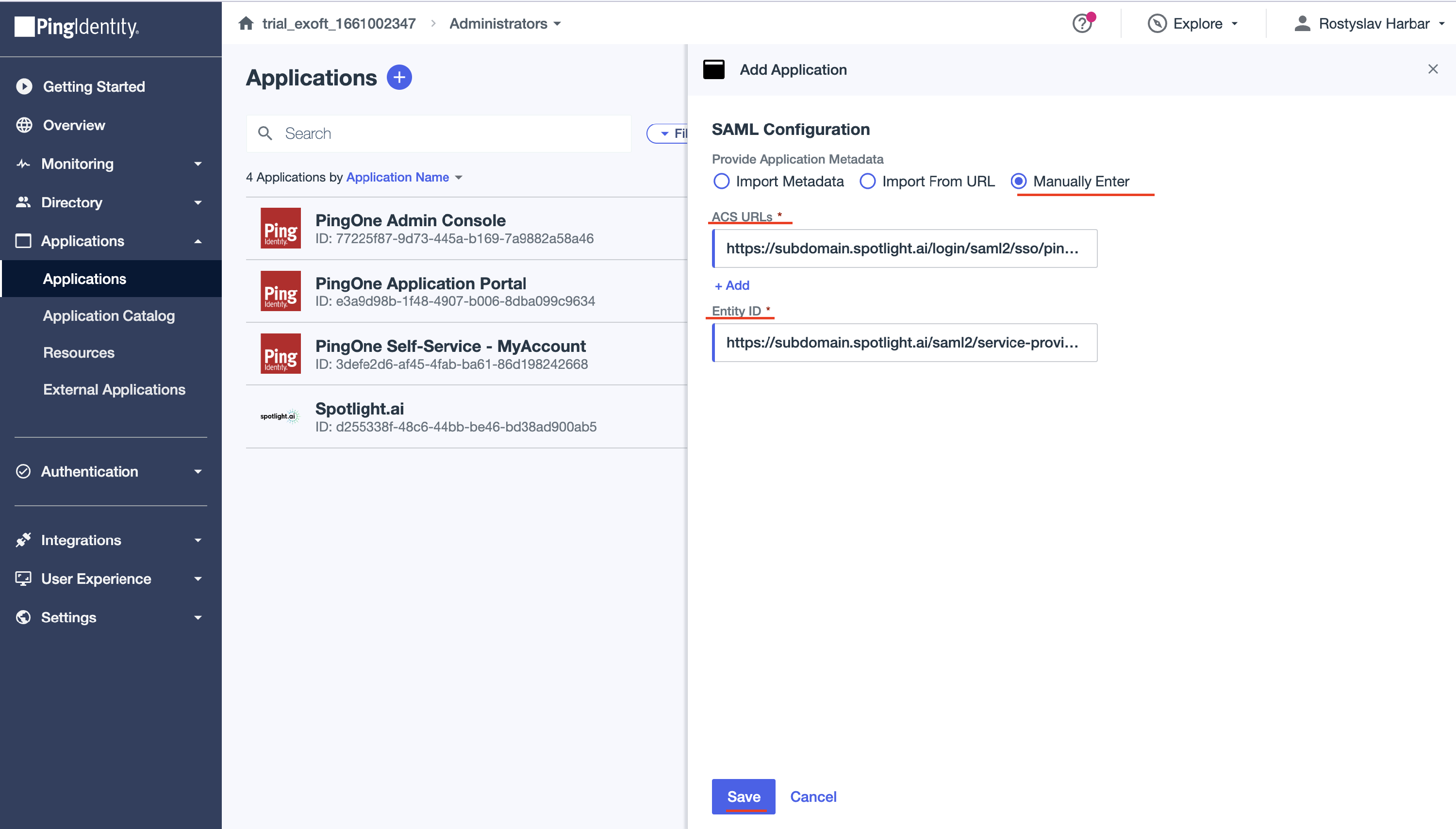
- On the SAML Configuration page:
- Provide Application Metadata: Select Manually Enter
- ACS URLs: https://subdomain.app.spotlight.ai/login/saml2/sso/pingidentity Note that subdomain should be replaced with a value provided by Spotlight.ai Support. For authentication to staging tenants instead of production, use https://subdomain.stage.spotlight.ai/login/saml2/sso/pingidentity.
- Entity ID: https://subdomain.app.spotlight.ai/saml2/service-provider-metadata/pingidentity. Again, subdomain should be replaced in the URL by the same value used for the ACS URLs. Replace app.spotlight.ai with stage.spotlight.ai if setting up access to the stage environment.
- Click Save
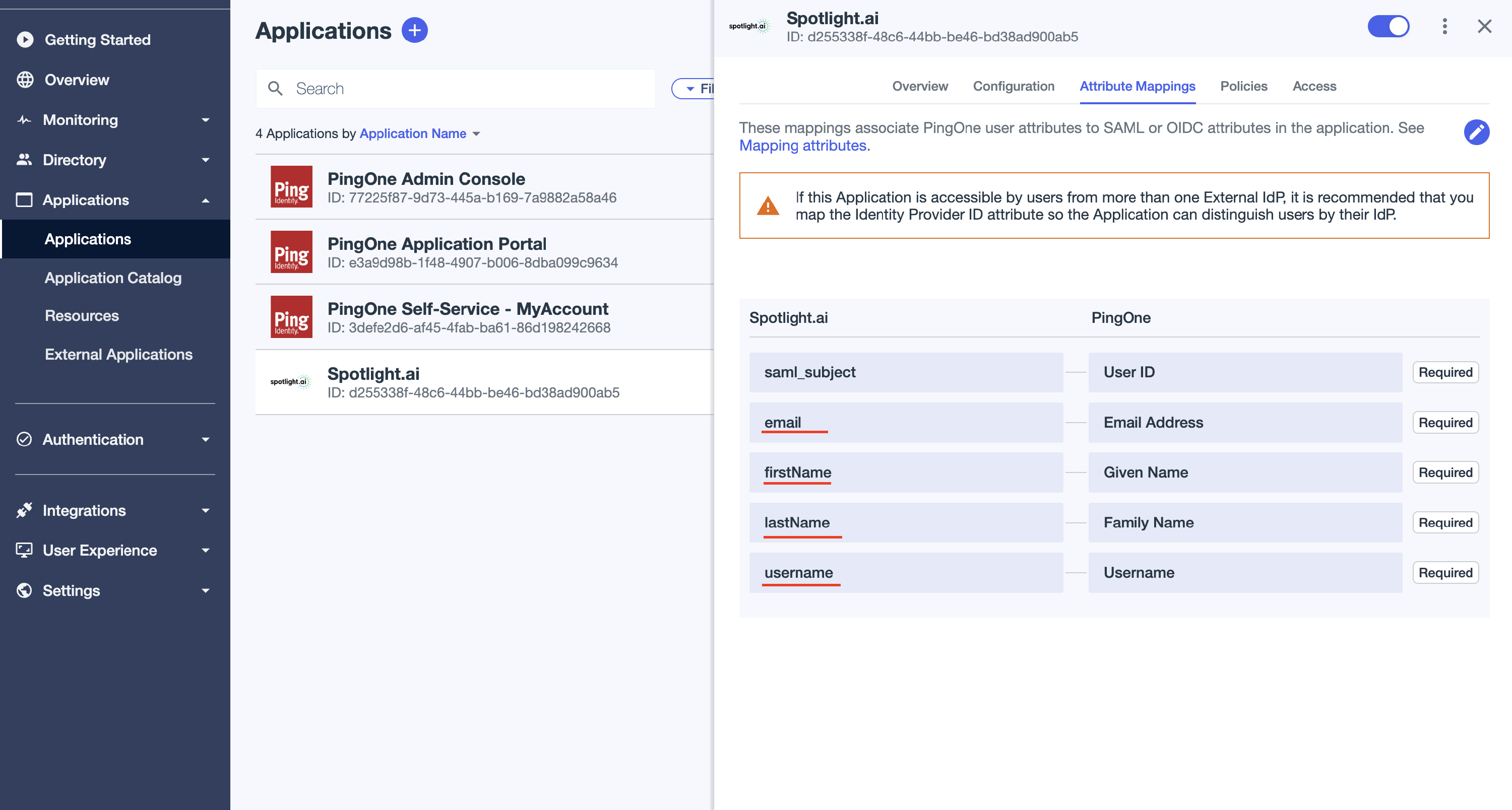
Spotlight.ai to PingOne field mappings
- To enable the application, click the toggle at the top of the details panel to the right (blue).
- On the Attribute Mappings tab (shown above), add the mappings to match the image shown above.
- Go to the Overview tab.
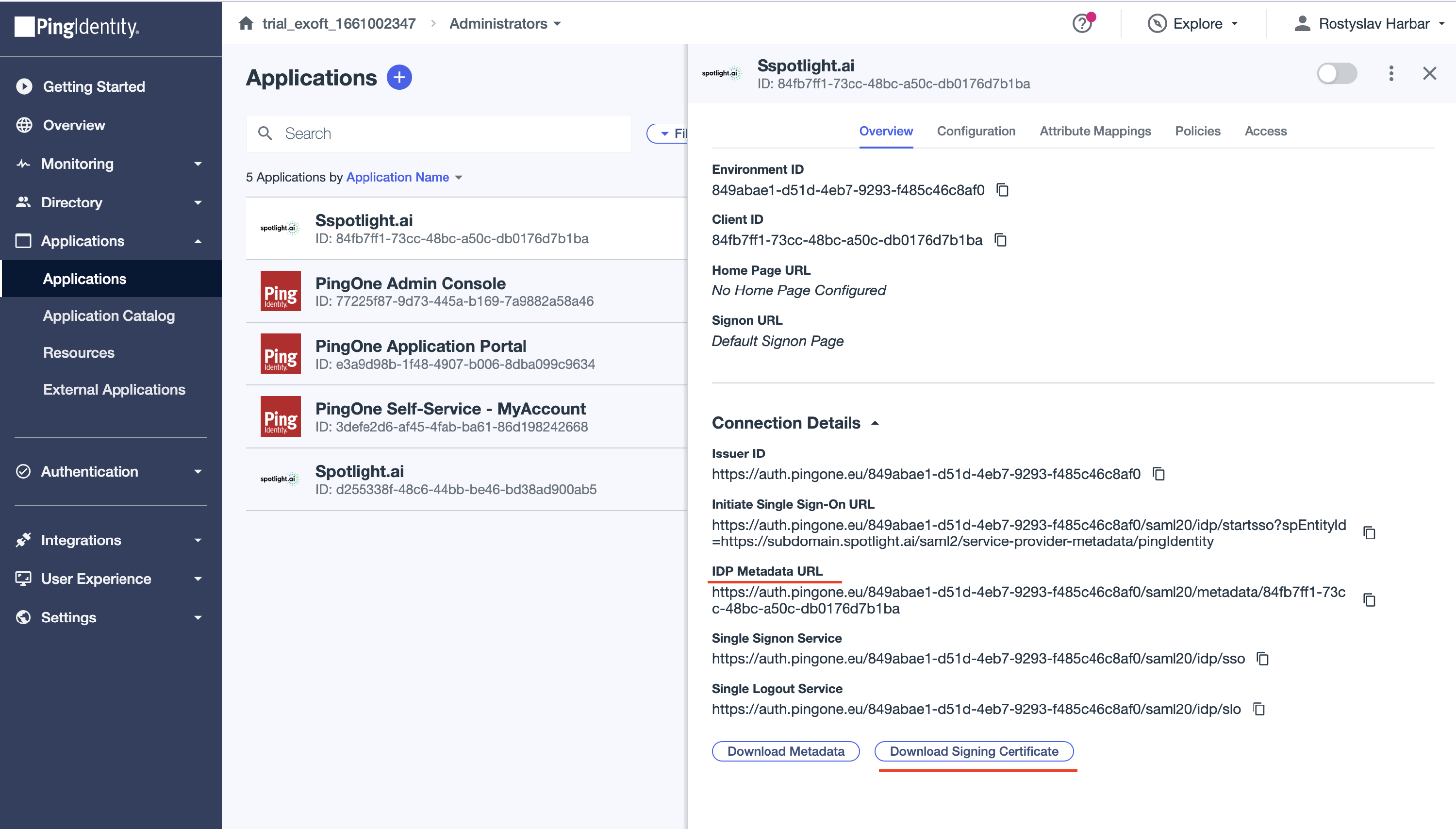
- Provide the IDP Metadata URL to Spotlight.ai Support.
- Click Download Signing Certificate then send the certificate to Spotlight.ai Support.
Next steps
After the application is created, you can edit the application settings, configure application policies, and control application access. Learn more in Editing an application, Applying authentication policies to an application, and Application access control.
Testing
Once Spotlight.ai Infrastructure completes the setup, you will be able to access the application from PingOne or by going to https://subdomain.app.spotlight.ai (where subdomain is replaced with your unique value).