
Setting up an AI-Generated Variable (Research Agent) (Beta)
AI-Generated Fields help teams capture consistent, high-quality research directly inside Spotlight.ai.
By configuring prompts in advance, admins ensure that:
- Research is standardized across all opportunities
- Data is generated from verified sources
- Users spend less time switching between tools or writing their own prompts
- Account insights are easier to review and compare across deals
Prerequisites
AI-Generated Fields can only be enabled for variables with the Rich Text type.
Step 1: Create or edit a Rich Text Variable
When creating or editing a variable:
- Select Rich Text as the variable type.
-
Once Rich Text is selected, an AI Generated toggle appears at the top of the configuration panel.
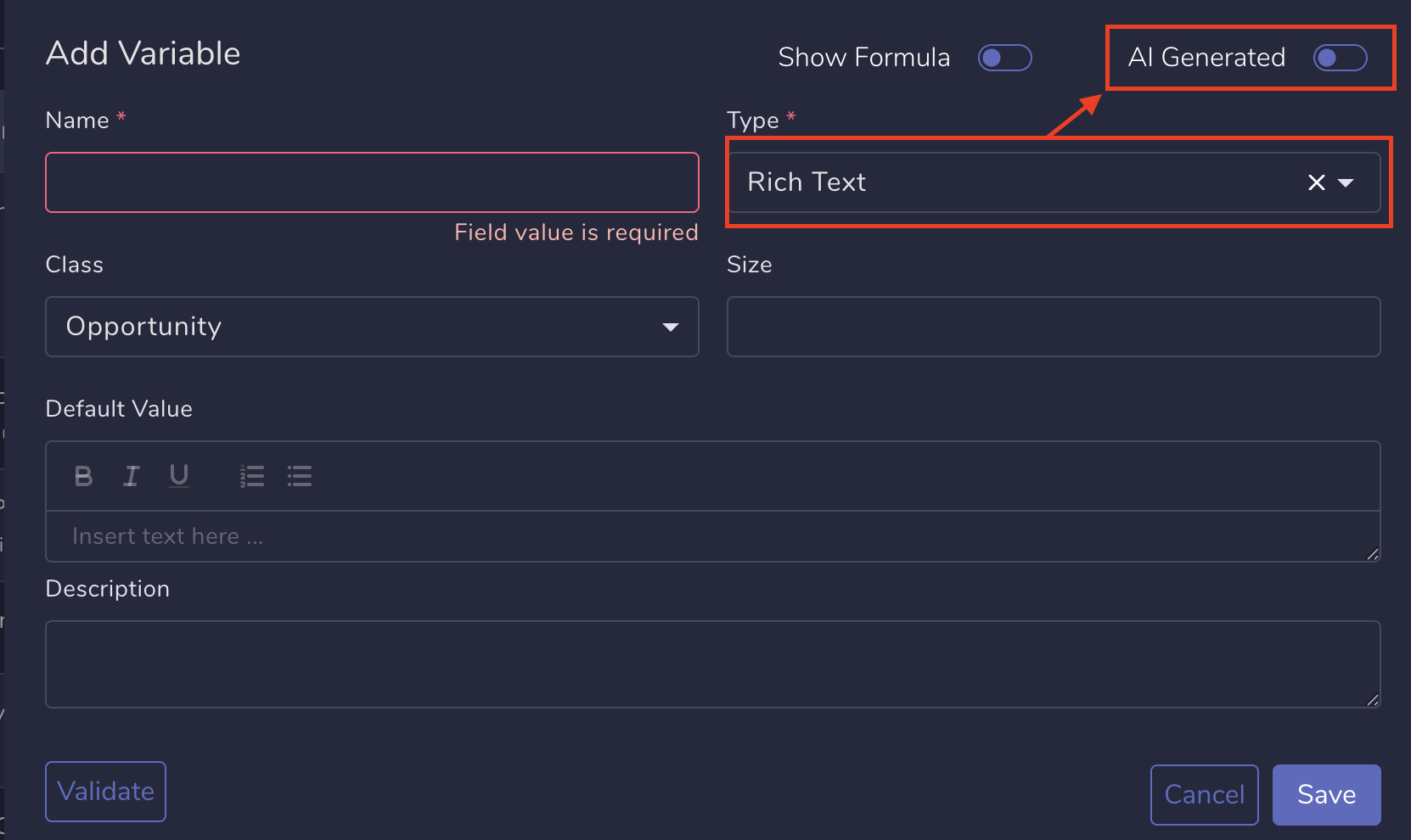
Turn AI Generated on to enable Research Agent configuration for this variable. - Switch AI Generated to On to expose additional configuration options.

Step 2: Configure the prompt
Prompt
Click the pencil icon to select an existing prompt or the plus icon to create a new one. This prompt is used by the Research Agent to generate its response.
Click "Save" to save the prompt and return to the Edit Variable screen.

Prompts can include plain text and variables, for example:
- {{cAccountName}} - the opportunity account name
- {{custom-variable-name}} - any custom variables already existing in your tenant
You can also include formatting and response instructions, such as:
- Requesting a bulleted response
- Limiting the answer to a specific character count (for example, 200 characters)
- Avoiding specific formatting (for example, no bold text)
Step 3: Set the Update Policy
Choose how generated content updates the field when the Research Agent runs.
Available options:
- LATEST – Replaces the existing field value with the newly generated response.
- FIRST – Populates the field only if the field is currently empty.
- MERGE – Appends the newly generated response to the existing field value.
🔜 The Update Policy has no effect in this version, so feel free to select whatever value you wish. In the future, we plan to automate the generated content and then this parameter will be critical.