
Version 3.13: Excel & Google Sheets Asset Generation · March 2026
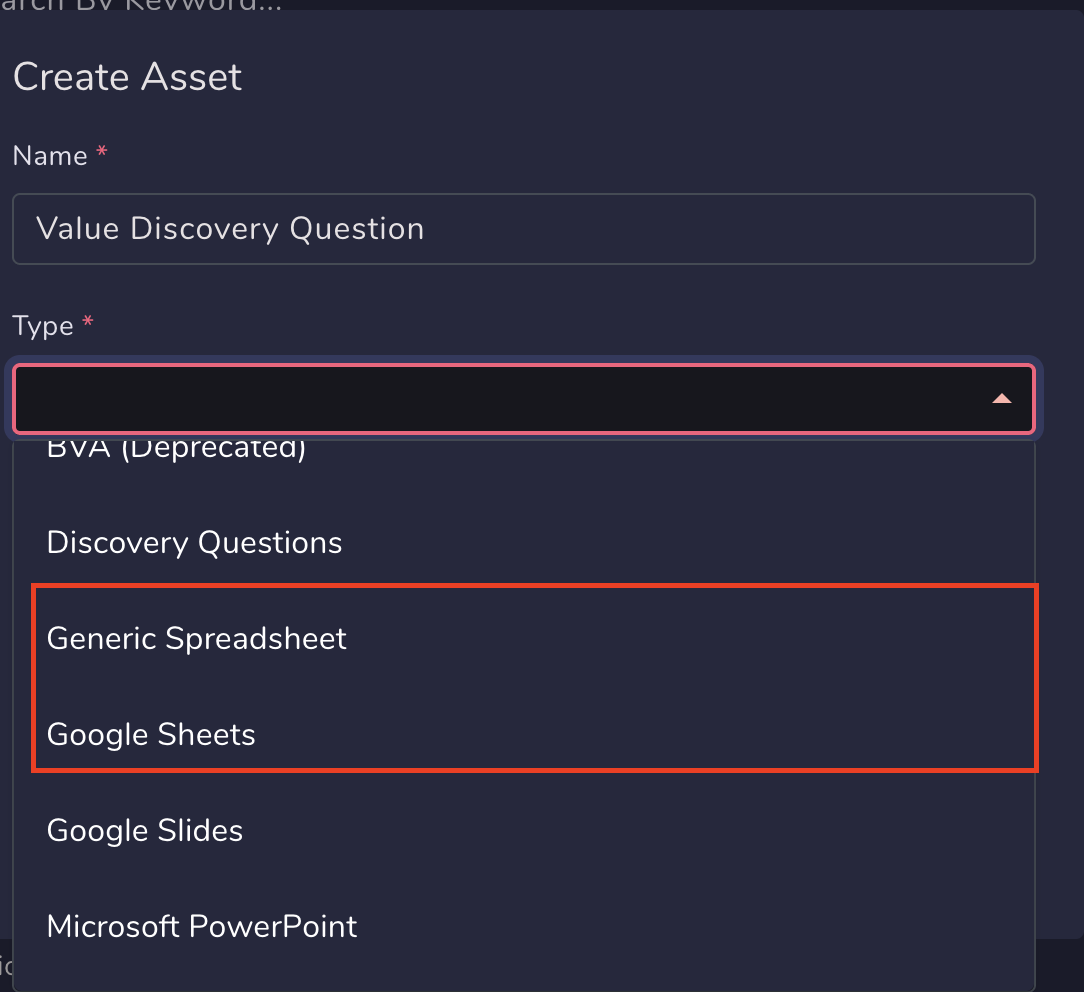
You can now export opportunity data from Spotlight.ai directly into Excel and Google Sheets using configurable templates - just like PPTX templates, but for spreadsheets.
Sales teams often need opportunity data in spreadsheets for forecasting, analysis, deal reviews, or custom reporting. Until now, that meant manual exports, reformatting, or rebuilding formulas outside of Spotlight.ai. This update removes that friction.
Export opportunity data in one click
From the opportunity screen, clicking Download now lets you export Spotlight.ai opportunity fields directly into:
- Excel
- Google Sheets
The export uses a predefined spreadsheet template, so data lands exactly where you expect it - no cleanup required.
Template-driven, just like PPTX
Spreadsheet exports are powered by templates that work similarly to Spotlight.ai’s PPTX templates:
- Map Spotlight.ai opportunity fields directly into spreadsheet cells
- Keep layouts, structure, and formatting consistent across exports
- Reuse the same template across teams and deals
Built-in formulas, configured by admins
Admins can configure formulas directly in the template, allowing exported spreadsheets to:
- Auto-calculate totals, scores, or rollups
- Apply consistent logic across every export
- Eliminate manual post-export calculations
This ensures that every spreadsheet generated follows the same rules and produces consistent results - regardless of who exports it.
Why this matters
- Save time: No more manual data copying or spreadsheet setup
- Consistent reporting: Standardized templates and formulas across the team
- One source of truth: Data is pulled directly from the opportunity in Spotlight.ai
- Faster analysis: Spreadsheets are ready to use the moment they’re downloaded
With Excel and Google Sheets export templates, Spotlight.ai makes it easy to take opportunity data beyond the deal view - without losing structure, accuracy, or consistency.