Changes to the Zoom Notetaker
Last updated: October 20, 2026
Action required: Connect your Zoom account to the Spotlight.ai Notetaker in order to continue transcribing Zoom Meetings.
What's changing?
Zoom changed their security policies to require Notetakers to be explicitly authorized by an authenticated Zoom user. Spotlight.ai's Notetaker will no longer join Zoom Meetings (no effect on Teams Meetings) unless you connect your Zoom account.
Transcription of meetings will only occur while you are in the Zoom Meeting.
How do I connect my Zoom account?
Assuming you already have a Spotlight.ai account with the AI Assisted Profile,
Login to https://app.spotlight.ai/meetings to ensure your account is provisioned and you have the AI Assisted Profile. You should see the Meetings page.
Navigate to https://app.spotlight.ai/oauth2/authorization/zoom-bot. This authorization will appear.
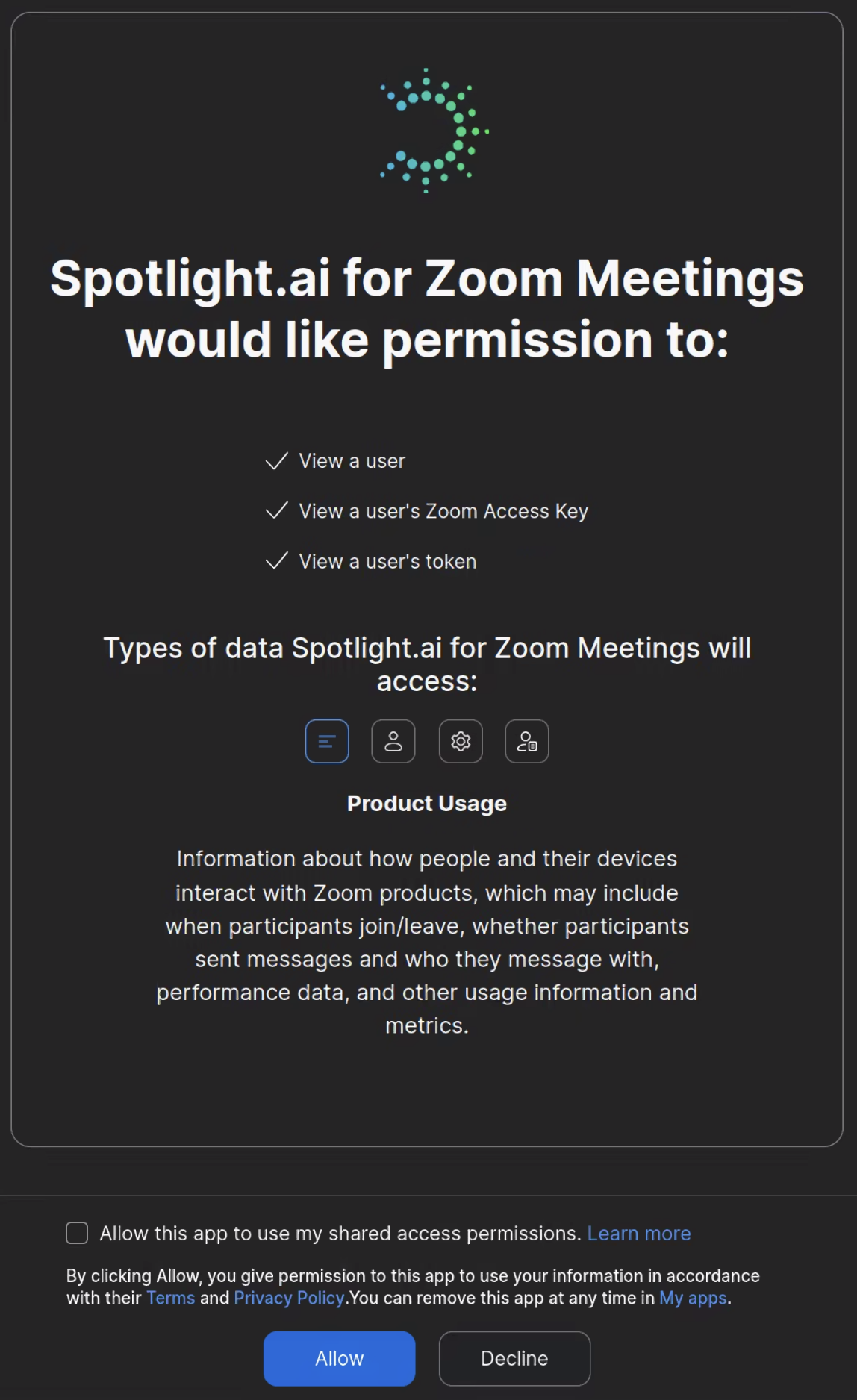
Check Allow this app to use my shared access permissions.
Click the Allow button. This should take you back to Spotlight.ai's website in a logged-in state.
You have successfully authorized the Spotlight.ai Notetaker to transcribe your meetings. If you have any issues, please send an email to support@spotlight.ai.
Frequently asked questions
If several Spotlight.ai users are in the meeting, which user's Notetaker is selected? The first Spotlight.ai user to join the Zoom Meeting will be used.
Can a Zoom administrator set this up for everyone? No, each user connects Spotlight.ai to their own Zoom account. Admins only deploy the Spotlight.ai app to users in the Zoom Marketplace, as described in Setting Up Spotlight.ai for Zoom Meetings.
Can the Notetaker join a meeting that has no Spotlight.ai attendees? No, at least one attendee with the Notetaker enabled and a connected Zoom account must be invited to the meeting.
Will the Notetaker join if only external attendees have joined so far? No. It joins only on behalf of a connected Spotlight.ai user who is in the meeting.
Why did the Notetaker leave before the meeting ended? Zoom removes the Notetaker when the user who it is associated with leaves the meeting.