
Version 3.14: Download Meeting Transcripts · April 2026
What's New
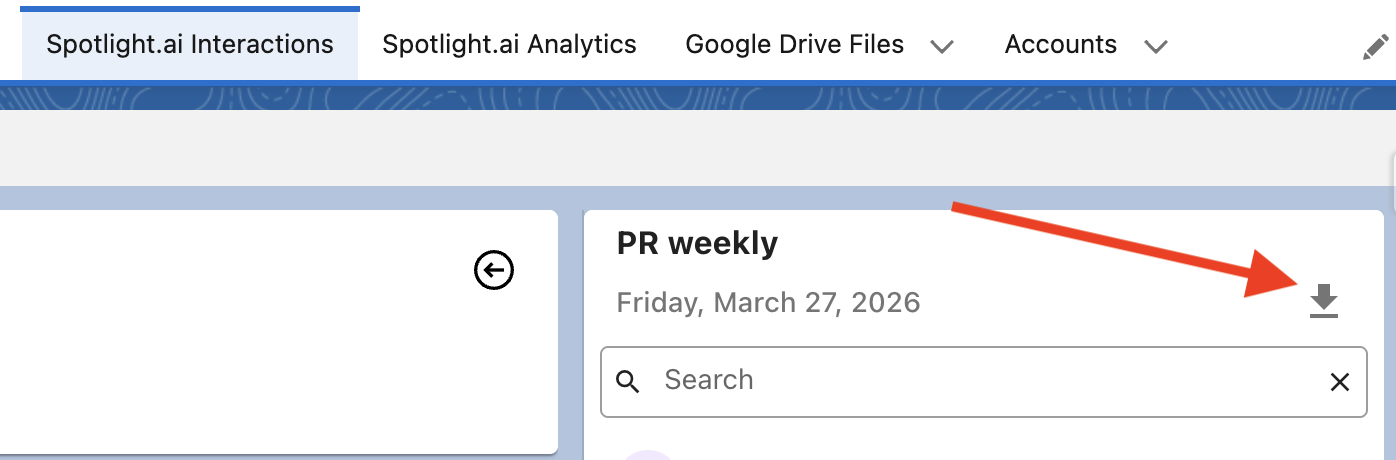
You can now download a meeting transcript as a PDF directly from Spotlight.ai — no need to copy and paste or request a file separately.
How It Works
Open any meeting in Spotlight.ai and click the Download button above the transcript.
The downloaded file name will include the meeting name and date (e.g., transcript__pr-weekly-2026-03-27.pdf ) and will include:
- Meeting details: meeting name, date and duration, organizer, participants, and time zone (based on the user's browser time zone)
- Full transcript in the same format shown in the app
Where It's Available
The download button is available in Spotlight.ai's app and in Salesforce.
Available in version 3.14.